How to fax a PDF from your iPhone
Most faxes today start as a PDF: a form you downloaded, a statement from your bank, a signed document someone emailed you. Here is how to send one from your iPhone without printing anything.

Step 1: Get the PDF into Files
The app picks PDFs from the iPhone's Files app, which includes iCloud Drive and any cloud storage you have connected.
- From an email: open the attachment, tap the share button, then Save to Files. (Wondering whether you could just email the fax instead? See how email to fax works.)
- From Safari: open the PDF, tap the share button, then Save to Files.
- From Google Drive or Dropbox: if the app is installed, it already appears as a location in Files.
Step 2: Add it to the fax
In HonestFax, on the New Fax tab, tap Add image or document, then Choose a file, and pick the PDF. The app counts the pages and shows them under Documents.
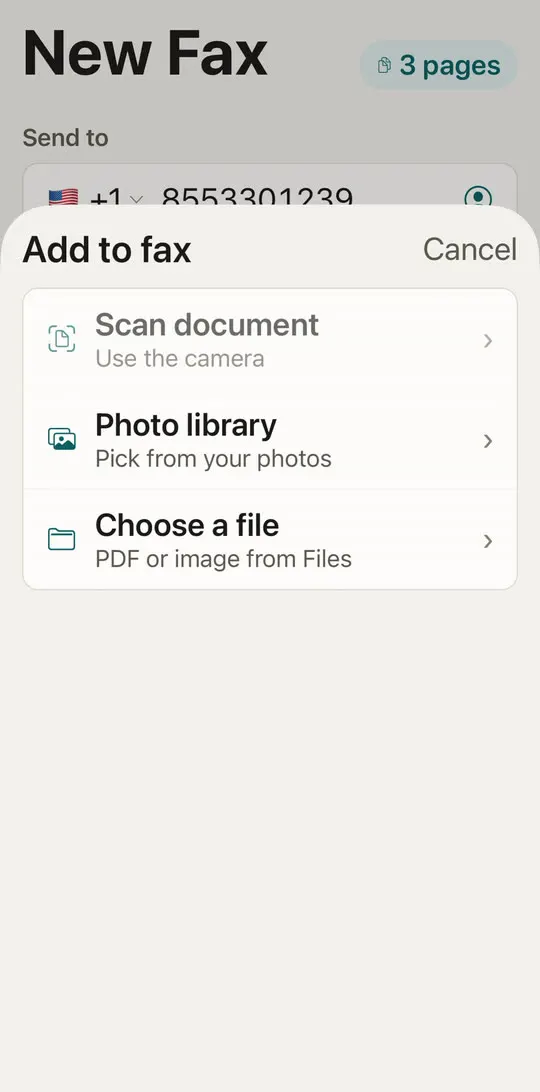
Step 3: Combine several PDFs
You can add more than one PDF, plus scans or photos. They go out as one fax, in the order you see on screen. To change the order, tap Edit and drag the documents. To remove one, tap the minus sign.
A common example: a cover page, then the signed form, then a copy of your ID. Put them in the order the recipient expects to read them. For the cover page itself, see what to put on a fax cover sheet.
Step 4: Check the page count and send
Above Send fax you'll see the total number of pages and credits. The server counts the pages again after joining the files, and you are charged for the real page count, never more.
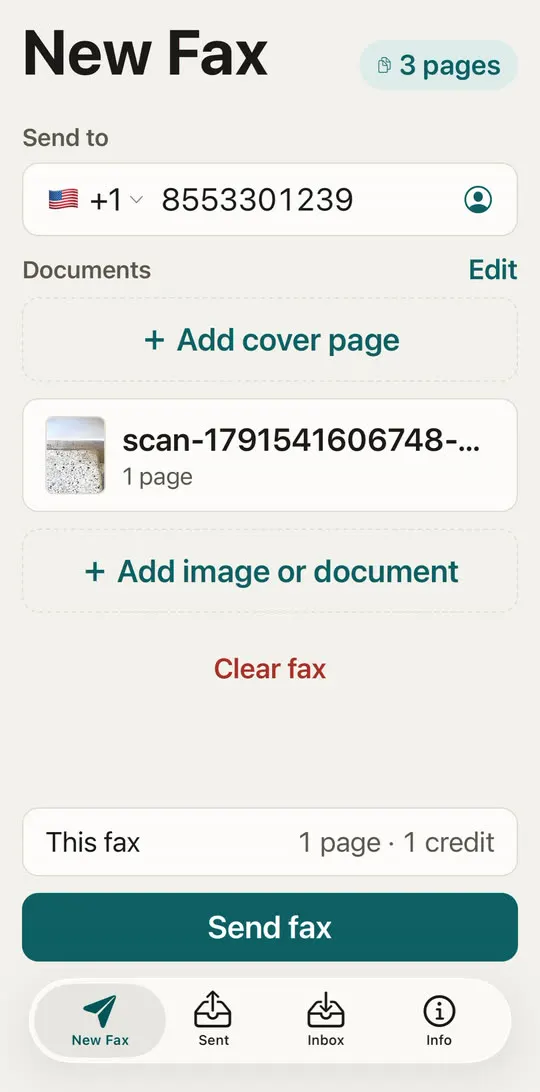
Tap Send fax and follow the sending screen to Delivered. The full walkthrough, with screenshots, is in how to send a fax from your iPhone.
Tips for PDFs that fax well
- Keep it black and white friendly. Fax is black and white. Light grey text and colored backgrounds can come out faint or dark.
- Watch password-protected PDFs. If a PDF asks for a password to open, save an unlocked copy first.
- Check large files. Long scanned PDFs are fine, but every page counts as a page. Remove pages the recipient doesn't need.
- Signed forms: if you need to sign, sign on paper and scan it, or sign the PDF in Files with Markup before you send it.
Frequently asked questions
Can I fax a Word document? Save it as a PDF first. In the Word or Pages app, use Export or Print to PDF, then send the PDF.
Does the recipient see a PDF? They see whatever their fax receives: printed pages on a machine, or an image or PDF if they use a fax service.
How much does it cost? One credit per page. A fax of up to 3 pages is $2.99. See all prices, or how much a fax costs elsewhere.