How to scan a document with your iPhone so it faxes clearly
Fax sends pages in black and white at a fixed resolution. A photo that looks fine on your phone can come out faint, dark or blurry on the receiving machine. These habits keep it readable.
Use a scanner, not the camera app
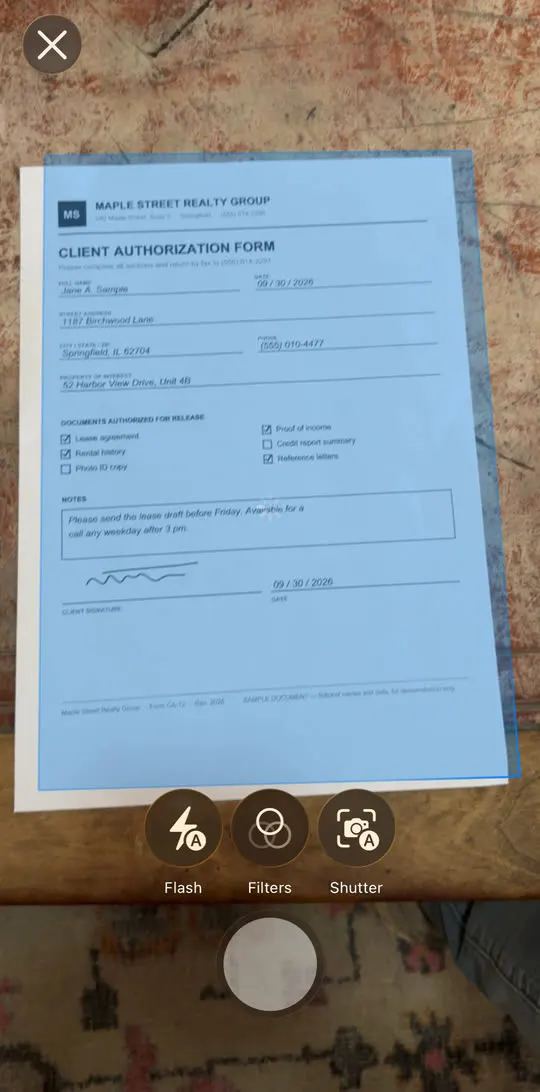
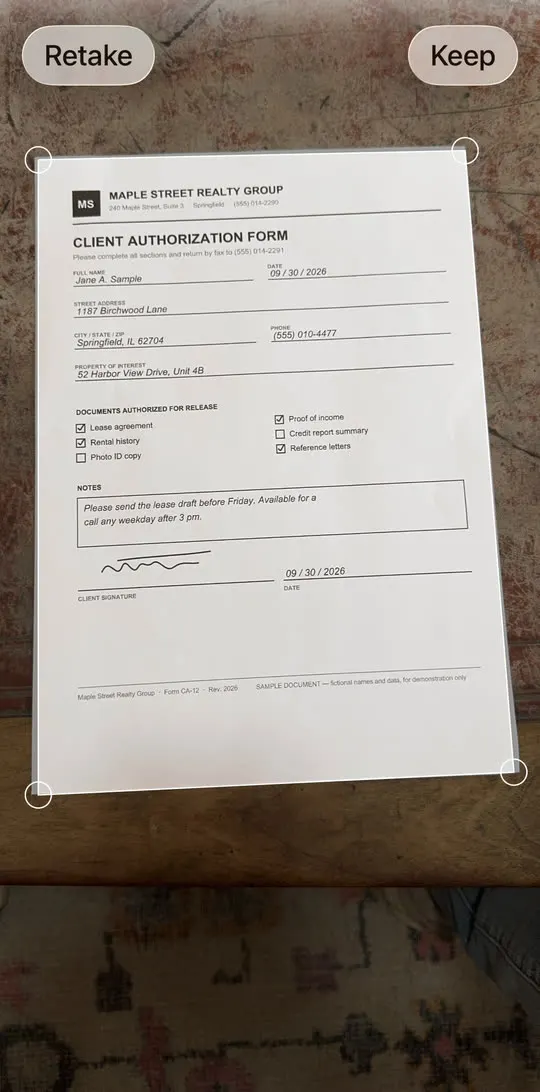
A document scanner finds the edges of the page, straightens it and turns it into clean black-on-white. A plain photo keeps the shadows, the table under the page and the angle. In HonestFax, tap Add image or document, then Scan document.
Light: bright and even
- Scan near a window or under a ceiling light, not a single desk lamp from the side.
- Watch for your own shadow and the phone's shadow across the page.
- Avoid the flash on glossy paper. It creates a white glare spot that erases text.
Background: dark and flat
Put the page on a dark, plain surface: a dark table, a folder, a jacket. White paper on a dark background gives the scanner a clear edge. A white page on a white desk often gets cropped wrong.
Flatten folded pages first. Folds cast shadows that show up as grey lines.
Angle: straight above
Hold the phone parallel to the page, directly above it. The scanner corrects a small tilt, but a steep angle stretches the text at the far end of the page.
Text: check before you send
After scanning, open the preview and zoom in on the smallest text, such as dates, signatures and checkboxes. If you can't read it easily on your phone, the recipient won't be able to read it either. Scan that page again.
Several pages: keep the order
- Scan pages in order, front then back for double-sided forms.
- Use Edit to fix the order or remove a page you don't need.
- Put a cover sheet first, with the total page count.
Paper that faxes badly
- Colored or grey paper turns into a dark background. Copy it onto white paper first if you can.
- Pencil and light blue ink can fade. Go over important handwriting in dark ink.
- Small print on receipts often doesn't survive. Scan it as close as the scanner allows.
Frequently asked questions
Can I fax a photo of a document? Yes. Choose Photo library to add it, but a fresh scan usually comes out cleaner. Already have the document as a file? See how to fax a PDF from your iPhone.
Should I scan in color? It doesn't matter for the fax itself, which is black and white. What matters is contrast between the text and the paper.
How do I know it looked right on the other end? HonestFax keeps the exact pages it transmitted. Open the fax on the Sent tab and tap to see what was sent. If the recipient says it's hard to read, see why a fax fails, and how to fix it.