What to put on a fax cover sheet (with a free template)
A fax cover sheet is the first page of a fax. It tells the receiving office who the pages are for and how to reach you. Most fax machines print into a shared tray, so without a cover sheet your pages can sit unclaimed. Here is what to include.

The six things a cover sheet needs
- To: a person or department, not just a company name. "Records department, Riverside Clinic" gets routed faster than "Riverside Clinic".
- Their fax number, so anyone holding the page knows where it was meant to go.
- From: your full name.
- Your phone number, and a fax number too if you expect pages back.
- Number of pages, including the cover. This is how the receiver knows whether anything is missing.
- Subject or reference: the form name, a case number, an account or claim number.
Optional but useful: the date, a short message, and a mark like Urgent or Please reply.
An example you can copy
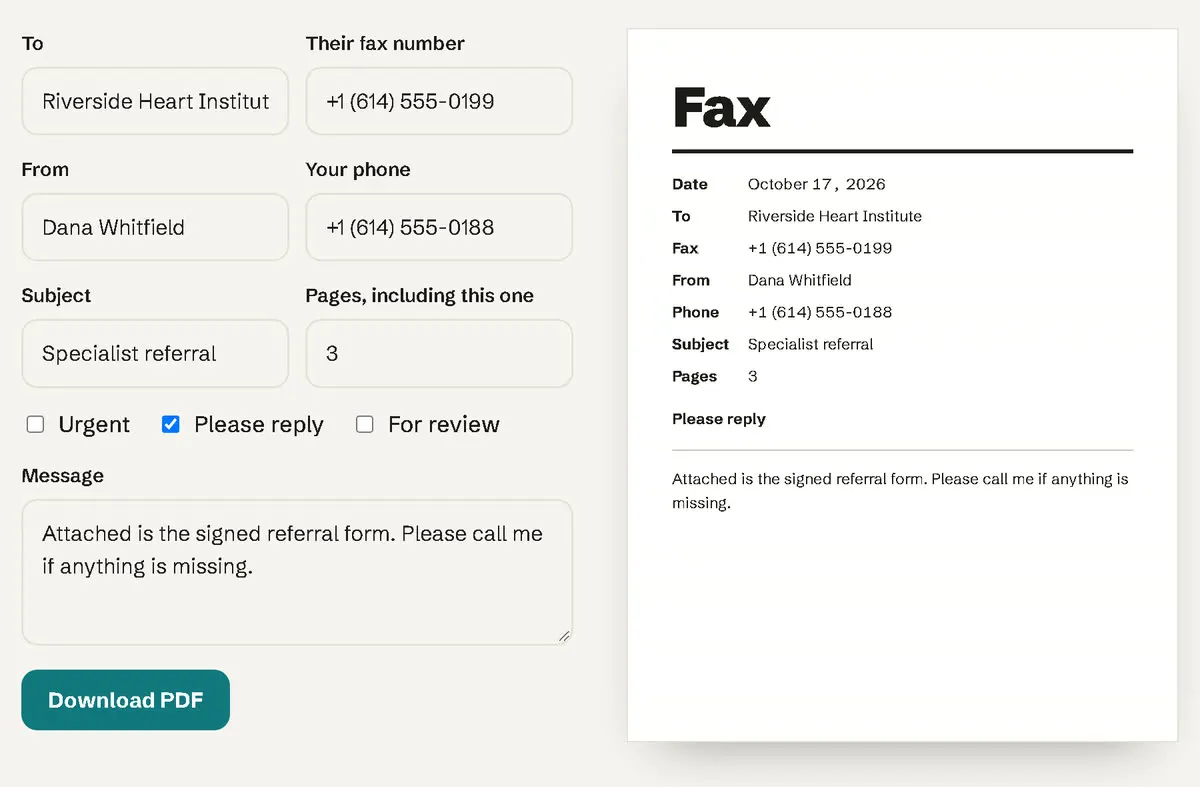
To: Records department, Riverside Clinic
Fax: +1 (614) 555-0199
From: Dana Whitfield
Phone: +1 (614) 555-0188
Pages: 3, including this one
Subject: Medical records release formAttached is my signed release form. Please call me at the number above if anything is missing.
Make one in a minute
Use our free fax cover sheet maker. Fill in the fields and download a clean PDF. It runs in your browser and nothing you type is uploaded.
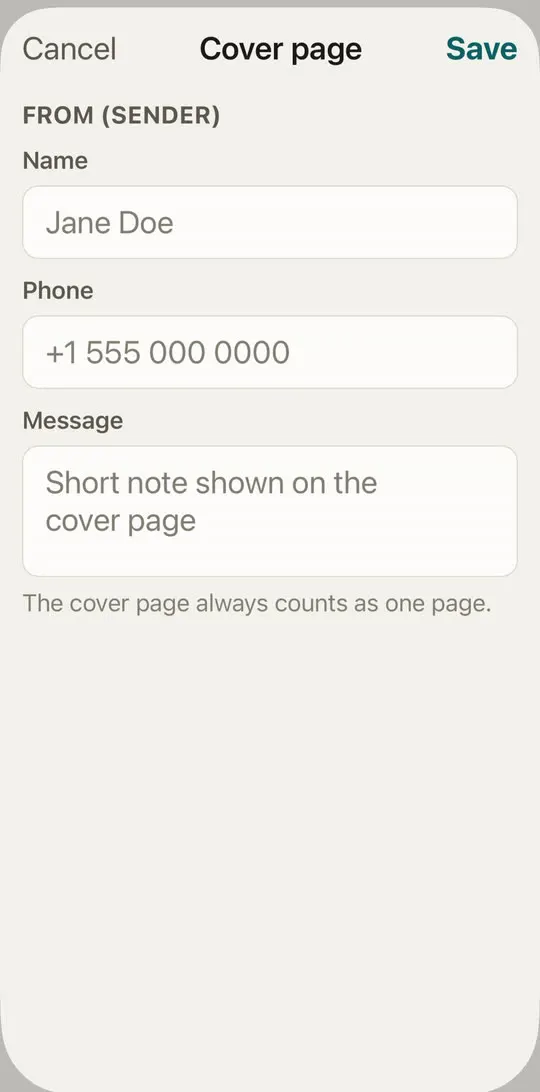
Sending from your iPhone? HonestFax can add a cover page for you, with your name and phone number filled in. Tap Add cover page on the New Fax screen. The full sending walkthrough is in how to send a fax from your iPhone.
Common mistakes
- Leaving out the page count. If page 4 of 5 doesn't come through, nobody notices. (More on that in how to confirm a fax was received.)
- Writing the sender's details only in the message. Put your name and phone in their own fields so they're easy to find.
- A long message. Keep it to two or three lines. The documents carry the details.
- Sensitive details on the cover. The cover sits on top of the pile. Put account numbers or personal details on the inner pages where possible, and only the reference the office needs on the cover.
Frequently asked questions
Is a cover sheet required? Usually not, but most offices route faxes much faster with one. Some forms ask for one explicitly.
Does the cover sheet count as a page? Yes. It is transmitted like any other page, so include it in the page count.
Can I use a cover sheet for a fax to the IRS? Yes. Include your name, phone, the form number and the page count. See IRS fax numbers by form.