How to receive a fax on iPhone
An iPhone can't receive a fax by itself. A fax is sent to a fax number, and your mobile number isn't one. To receive a fax on your phone you need a fax number that turns incoming faxes into PDFs and delivers them to an app.

What you need
A fax number. Someone sends their fax to this number, the same way they would send it to an office fax machine. Nothing changes on their side. Your options, and whether a free one exists, are in how to get a fax number.
An app that receives for that number. The incoming fax becomes a PDF you can open on your phone.
That's it. No phone line, no fax machine, no printer.
How to receive a fax with HonestFax
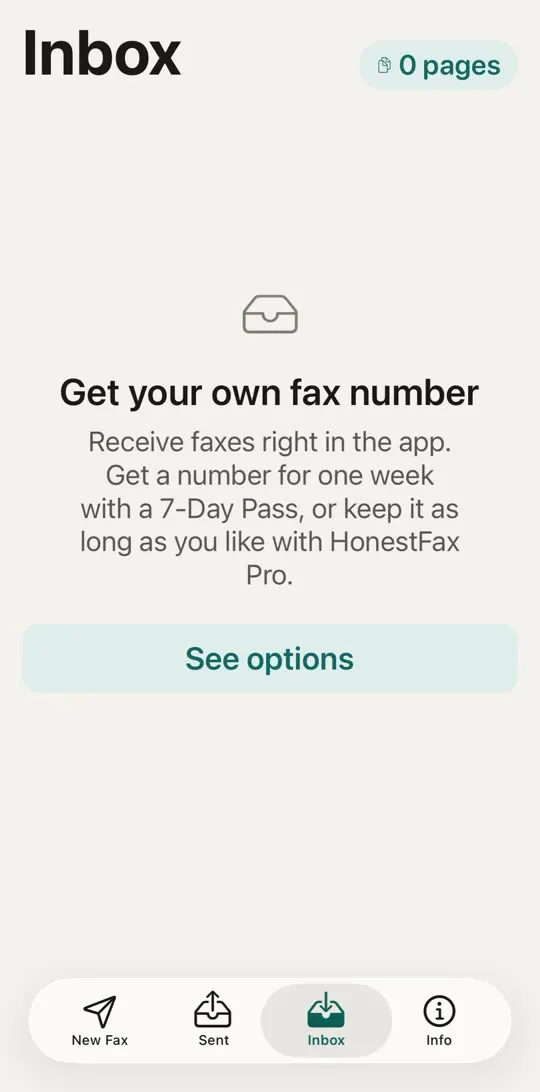
- Open HonestFax and go to the Inbox tab.
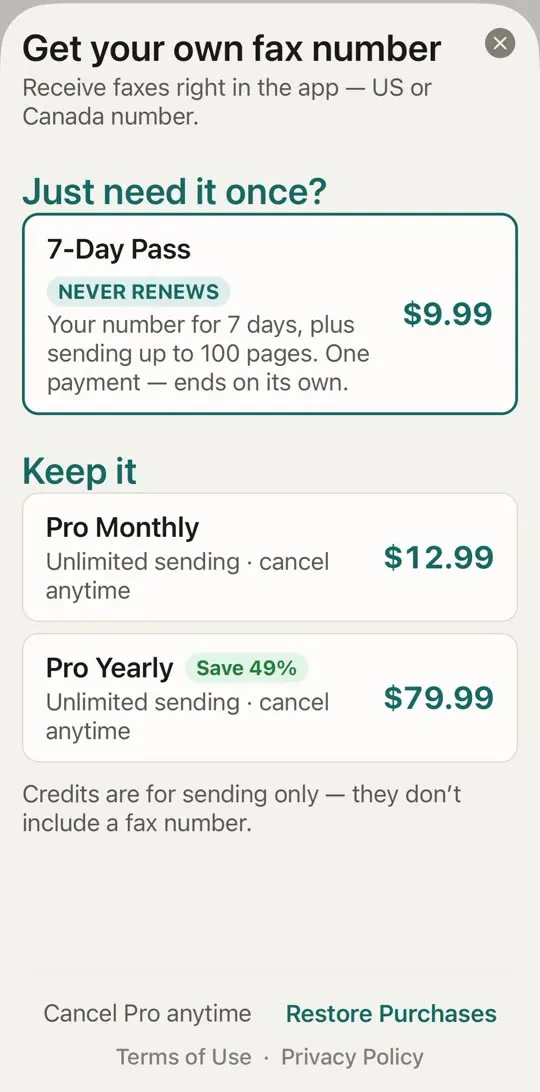
- Choose how long you need a number: a 7-Day Pass for a one-off fax, or HonestFax Pro if you receive faxes regularly.
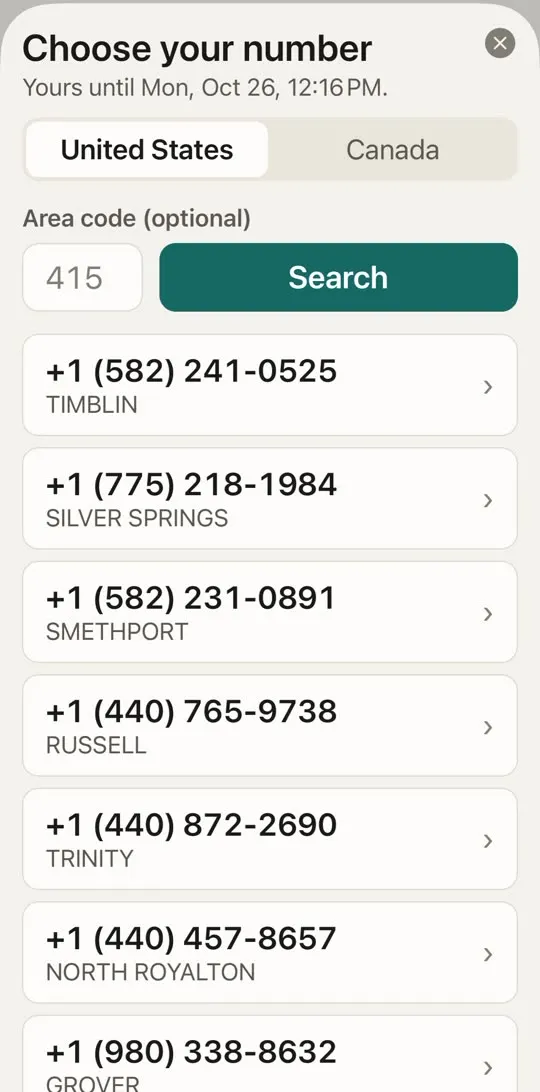
- Pick a US or Canada number. You can type an area code to get a local one, or leave it empty.
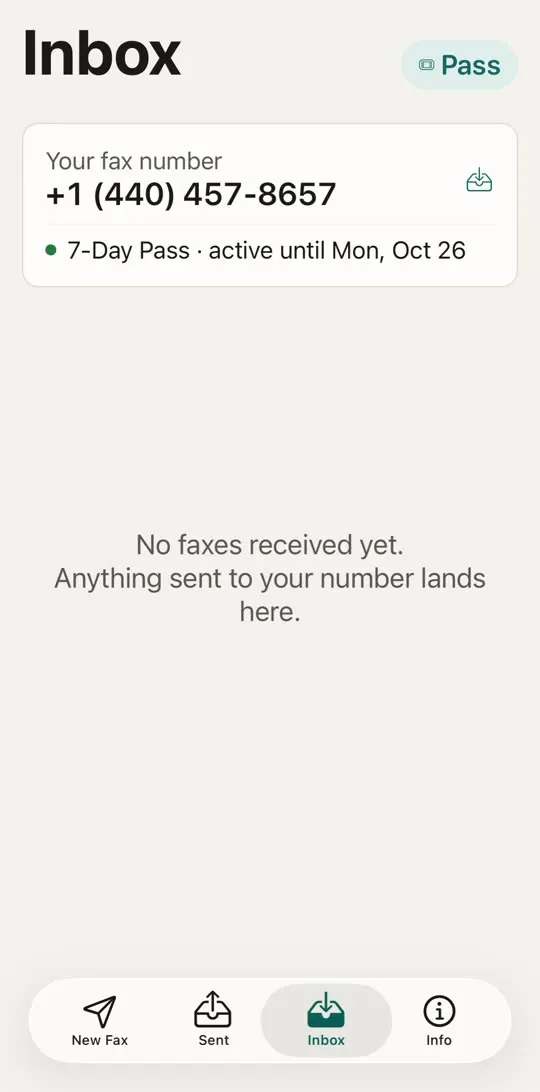
- Give that number to whoever is sending you the fax.
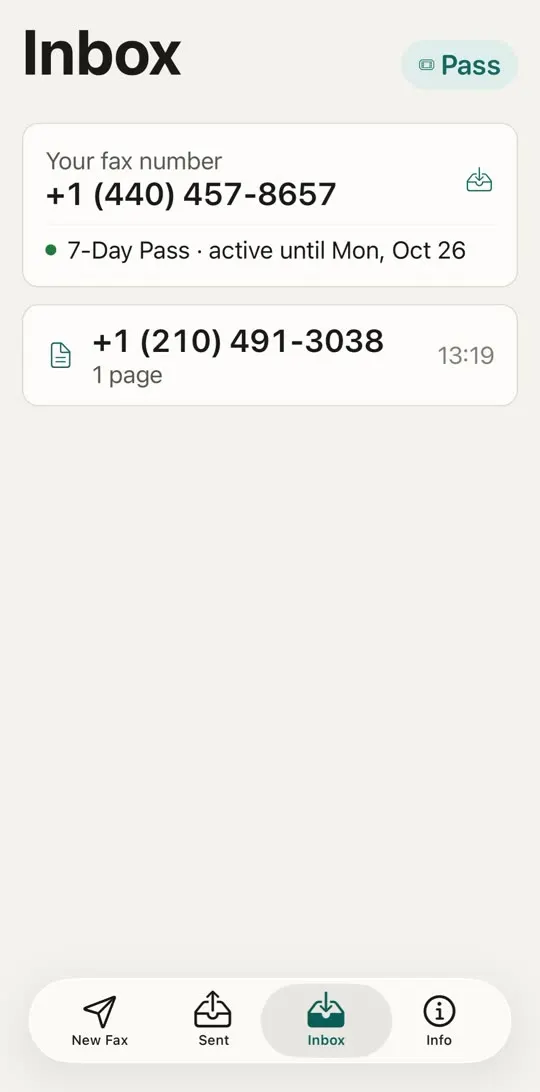
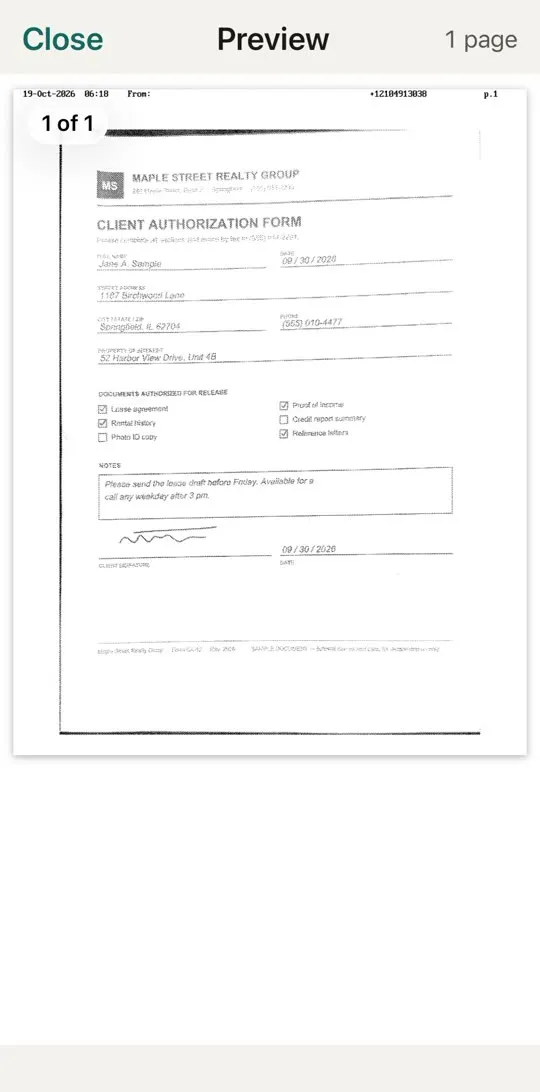
- When the fax arrives, it appears in your Inbox as a PDF. With notifications on, you also get a notification. Open it and tap Share, save or print to save the PDF to Files, email it or print it.
Receiving a fax just once
Most people who need to receive a fax need it once: a doctor's office sending records, a lender sending a form to sign, a government office replying to a request. Paying for a monthly fax subscription for that is a bad deal, and remembering to cancel it is worse.
The 7-Day Pass is made for this. It's a single payment of $9.99 that gives you your own fax number for 7 days. It never renews and there is nothing to cancel - it simply ends. You also get up to 100 pages of sending in that week without using credits, which helps when you need to send a signed form back. See how to send a fax from your iPhone.
A day before the pass ends, the app reminds you. Faxes you received stay in your Inbox after it ends. If you decide you want to keep the number, move to HonestFax Pro and the number stays yours.
Tips so the fax actually reaches you
Send the number exactly as shown. Include the area code. For a US or Canada number, the sender dials it like any other domestic number.
Get the number before you call. If an office asks "what's your fax number?", it helps to have it ready in the app so you can read it out.
Ask for a cover sheet with your name. It makes the fax easy to recognize when it lands. See what to put on a fax cover sheet.
Check the timing. Keep the number active until the fax has arrived. If the sender says it will take a few days, a 7-Day Pass usually covers it. More on getting faxes to arrive, and what to do when they don't, in receiving faxes.
Frequently asked questions
Can I receive a fax on my iPhone for free? Not on your iPhone directly - a fax needs a fax number, and fax numbers cost money to run. In HonestFax, receiving needs a 7-Day Pass or HonestFax Pro.
Can I use my own phone number to receive faxes? No. Your mobile number handles calls and texts. A fax needs a separate fax number.
Can someone outside the US fax my number? Your number is a US or Canada number. Senders in other countries dial it as an international call to +1, like any North American number.
What does the incoming fax look like? It's a PDF with the pages exactly as the sender's machine sent them. Tap it in your Inbox to open it, then use Share, save or print to keep a copy in Files, send it by email or print it.
Do I have to cancel the 7-Day Pass? No. It's a one-time purchase that ends on its own after 7 days.